
Invoices & quotations
Create professional invoices and quotations, record payments and keep customer balances in view.

Create invoices, share them through WhatsApp, track expenses and manage your business budget. Review your reports, VAT summaries and payroll records in ConsileWise.
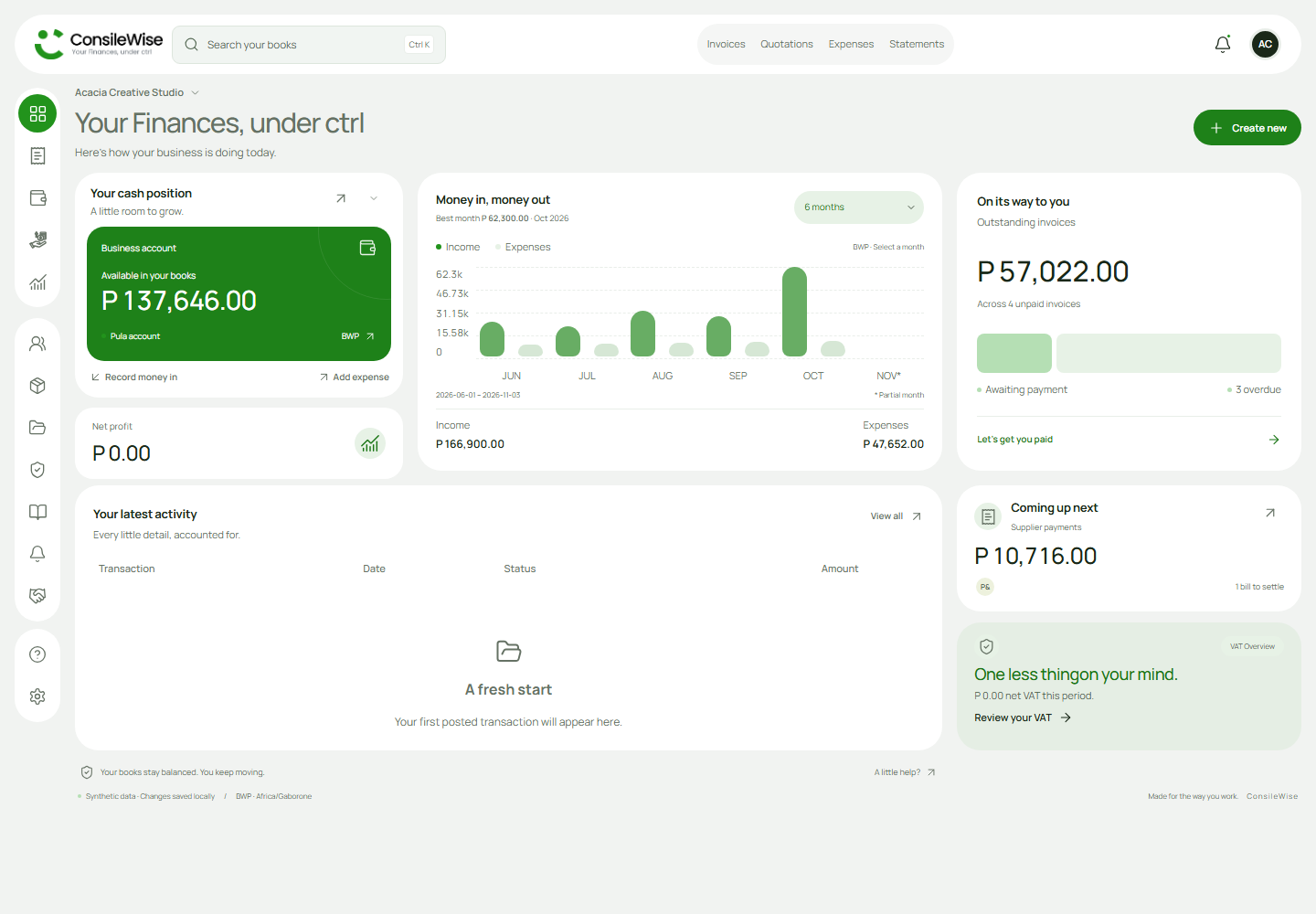
Invoices, expenses and reports.
In one workspace.
Manage customer documents, expenses, budgets and payroll in the same set of books.
Explore ConsileWiseCreate professional invoices and quotations, record payments and keep customer balances in view.
Prepare a WhatsApp message with a secure invoice or quotation link. Give customers an easy way to view their document.
Build monthly budgets, allocate spending and track progress against your goals alongside your business activity.
Record expenses, manage supplier bills and keep supporting receipts with the records they belong to.
Review profit and loss, cash flow and balance sheet reports. Manage VAT settings and review period summaries.
Maintain employee records, prepare payroll runs with allowances and deductions, and record employee payments.
See cash balances, income, expenses and customer balances on your dashboard.
Actual portal interface. Fictional businesses and financial data.
Send the invoice, track the expense and see where your business stands.
Keep your financial records together while you focus on the work.
Work across authorised company books and review ledger-based reports.
Give owners, accountants, bookkeepers and viewers the access they need.
Open ConsileWise on your laptop or phone. Add the portal to your home screen on supported devices for a quicker way back to your books.
Open the portalAn internet connection is required for private records and financial transactions.
We're finalising our subscription plans. Confirmed prices and plan limits will be published here.
ConsileWise is a browser-based accounting application for managing invoices, supplier bills, budgets and payroll. Financial reports are built from your company books.
Each company has separate books. Owners can give accountants, bookkeepers and other team members access through company permissions.
Create invoices and quotations, share customer document links through WhatsApp, record expenses and supplier bills, plan budgets, manage payroll records and review financial reports and VAT summaries.
Yes. The portal works in your browser on a phone or computer. Supported browsers also let you add it to your home screen. Installation guidance is available when you open the portal.
Yes. You can switch between companies you have permission to access. Each company has separate books and membership permissions.
No. You can continue in your browser after reviewing the portal's installation guidance. Private records and financial transactions require an internet connection.
Payroll supports employee records, configurable deductions, payroll runs and payment recording. Your business is responsible for configuring and reviewing applicable rules with its payroll adviser.
Subscription prices and plan limits are being finalised. Confirmed pricing and billing terms will be published before any subscription commitment.


